Trusted Version

This page is dedicated to the features and functions of the Full Version of VintageClient. If you want to try out the free version first, click the button below to jump to the free version page. If you are interested in the full version, join the Discord Server and Create a Ticket.

Instant Knapping

Instantly finish flint knapping without manual clicks.

Slow Fall

Disable fall damage and slow down falling speed.

Block One Hit

Destroy every breakable block with a single click.

Nuker

Automatically destroy blocks using different modes.

X-Ray

Scan and highlight valuable blocks through terrain.

Navigation & Overlays

VintageClient keeps every tweak within reach: open the settings menu for hotkeys, overlay toggles, and language switching, then read the status directly in-game.

Home & Teleport

Fast travel shortcuts keep you anchored to home, the map cursor, or the nearest block type you care about.

Movement & Camera

Movement and camera tweaks make traversal feel smooth and allow you to inspect every angle of Vintage Story.

World & Mining

Break, gather, and illuminate with a suite tuned for efficiency and comfort.

Combat

Combat tools that sharpen every engagement, from auto-attacks to rapid hits.

ESP

See through the world with layered overlays, distance tags, and selectable render distances.

X-Ray & Hover Info

Combine block highlighting with extra context to scout resources without digging blindly.

Languages

Full UI localization keeps controls and overlays clear no matter your native language.

Menu & UI showcase

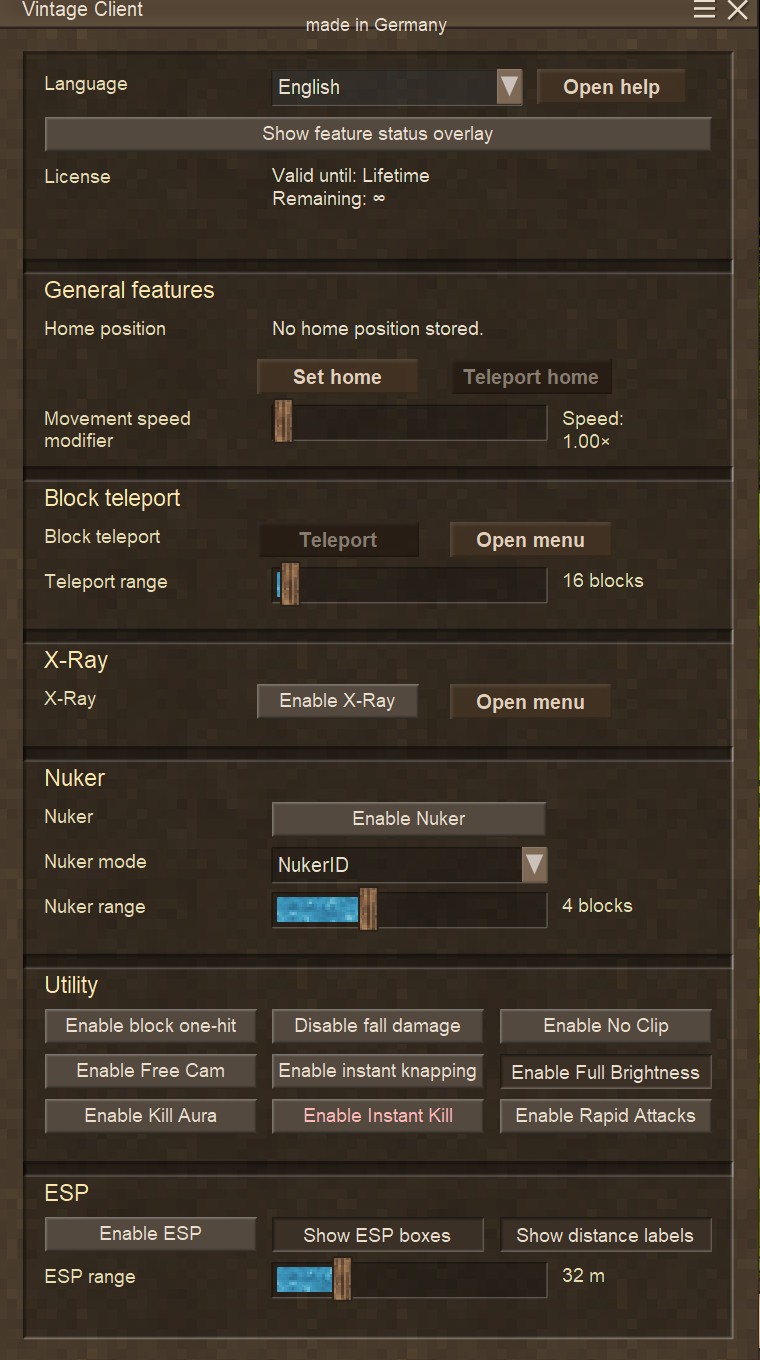
VintageClient main settings menu

Main feature menu

The central control hub of VintageClient. All features are grouped by category such as movement, world tools, combat and utility.
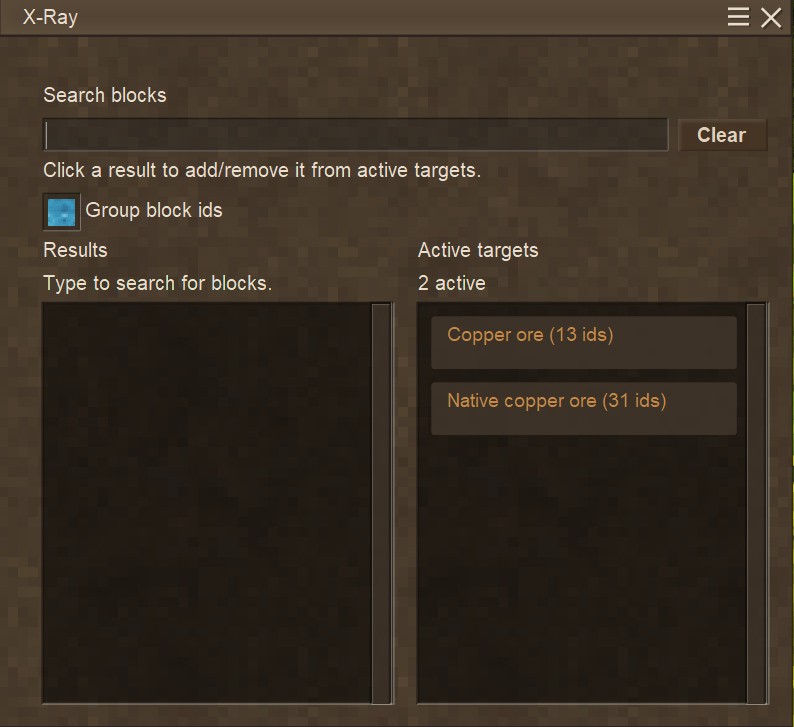
X-Ray and block selector menu

X-Ray and Teleport block selector

Precisely choose which blocks should be visible through X-Ray or the Blocks to Teleport to in the Block Teleporter. Add or remove ores and block groups with a single click.
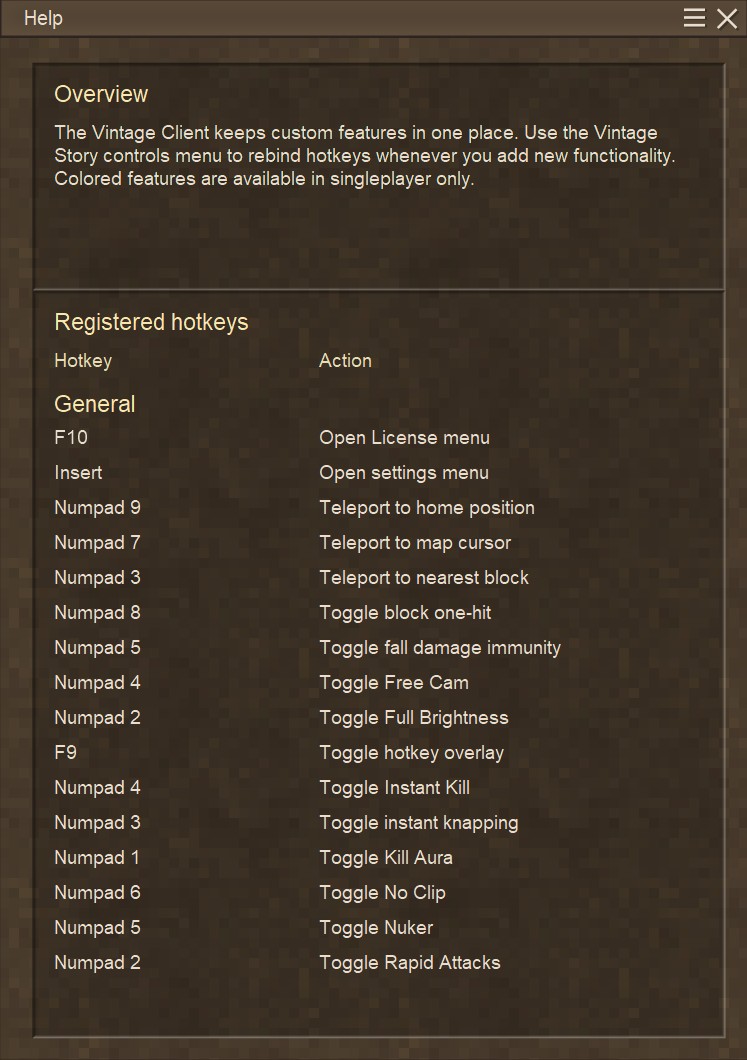
VintageClient help and hotkey overview

Built-in help & hotkeys

A complete overview of all registered hotkeys and their actions. Learn and customize controls without leaving the game.